blob: 4ffa9d4fc2e7ba1c6dfa875def67c4bf5f3363e6 (
plain) (
blame)
1
2
3
4
5
6
7
8
9
10
11
12
13
14
15
16
17
18
19
20
21
22
23
24
25
26
27
28
29
30
31
32
33
34
35
36
37
38
39
40
41
42
43
44
45
46
47
48
49
50
51
52
53
54
55
56
57
58
59
60
61
62
63
64
65
66
67
68
69
70
71
72
73
74
|
# Hugo Theme Puppet
[](https://app.netlify.com/sites/hugo-theme-puppet/deploys)
> Ported Theme of [Hux Blog](https://github.com/Huxpro/huxpro.github.io), Thank [Huxpro](https://github.com/Huxpro) for designing such a flawless theme.
[Demo](https://hugo-theme-puppet.netlify.app/)
## Screenshot
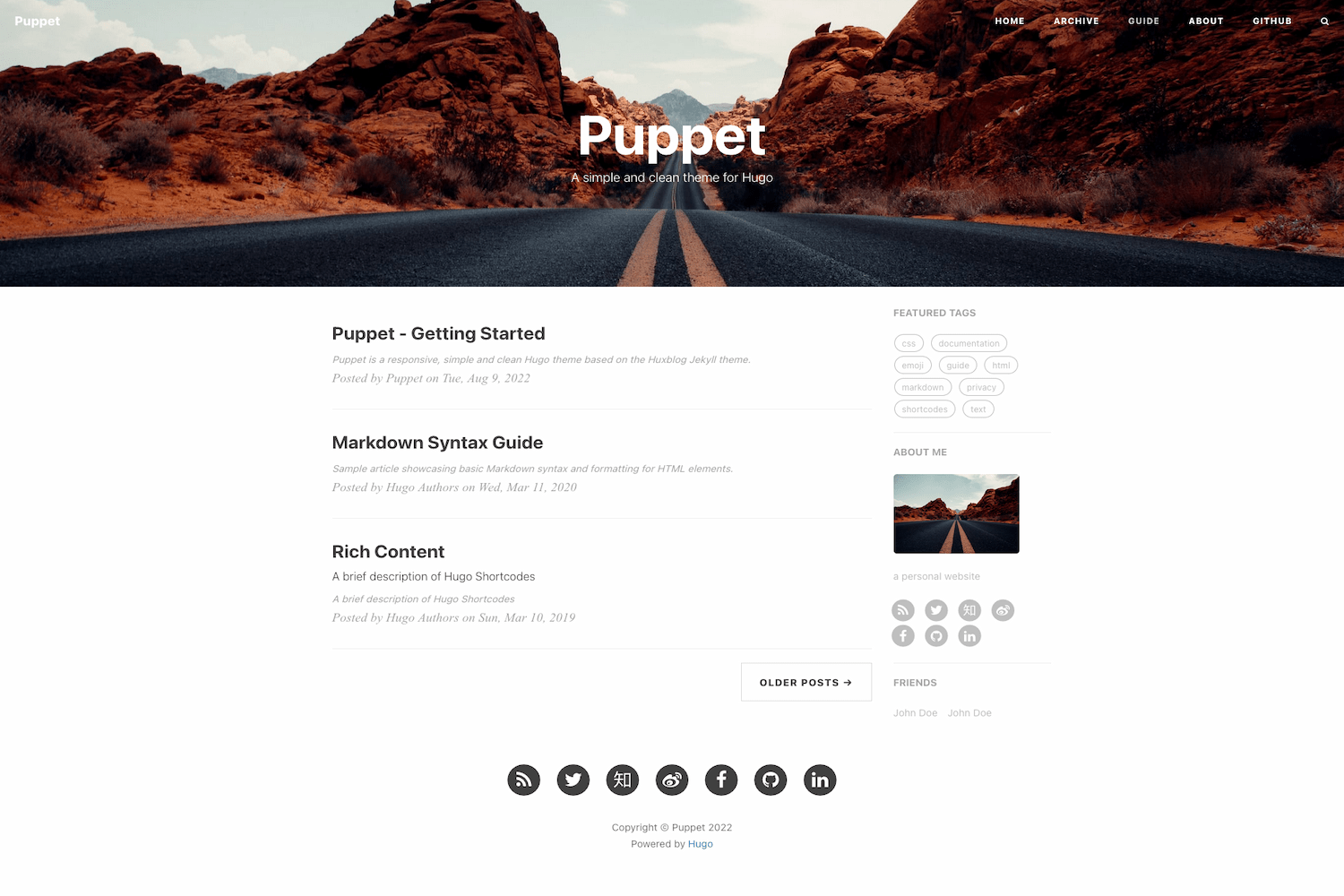
## Features
- [x] Responsive
- [x] SEO
- [x] Table of Contents
- [x] Image Zoom
- [x] Syntax Highlighting
- [x] Search
- [x] Comments
- [x] Google Analytics
- [x] Custom CSS and JS
- [x] Custom 404 Page
- [x] Custom Favicon
- [x] Custom Social Icons
## Installation
```bash
$ git clone https://github.com/roninro/hugo-theme-puppet.git themes/puppet
```
## Configuration
Take a look inside the [exampleSite](exampleSite) folder of this theme. You'll find a file called [config.toml](exampleSite/config.toml).
To use it, copy the [config.toml](exampleSite/config.toml) in the root directory of your website. Overwrite the existing config file if necessary.
## Content
### Archive Page
add `archive/_index.md` to your `content` folder. This file will be used as the archive page.
### About Page
like the archive page, add `about/_index.md` to your `content` folder.
## Social Icons
The default data of social links is located in [social.toml](assets/data/social.toml)
You can directly set your `id` to get a default social link icon
```toml
[params.social]
mastodon = "@xxxxx"
```
Or You can set more options through a dict:
```toml
[params.social.mastodon]
weight = 56
icon = "fab fa-mastodon"
format = "https://mastodon.social/%v"
id = "johndoe"
url = ""
```
## License
[Apache](LICENSE)
|
